




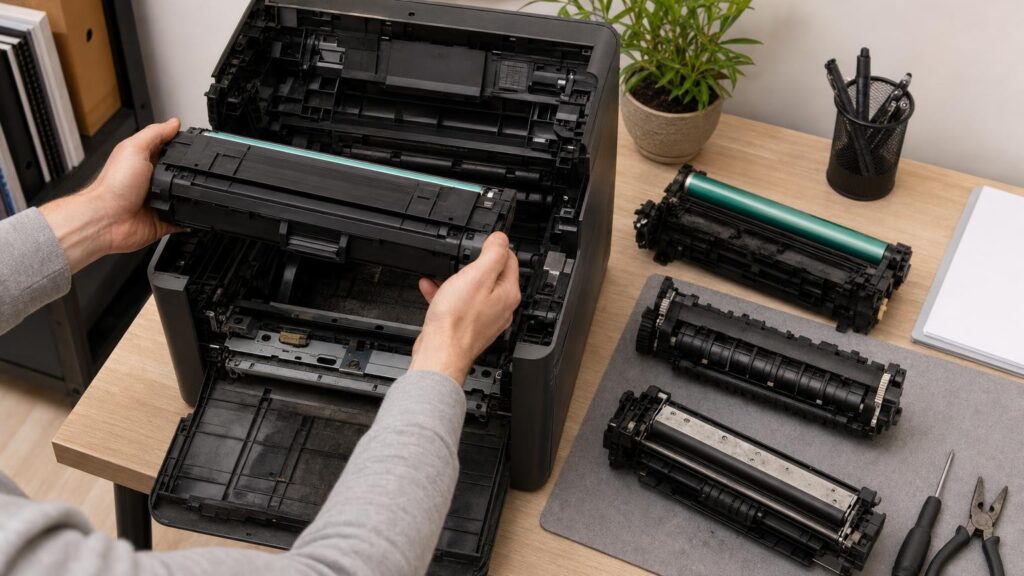
Replacing an empty toner cartridge can make a laser printer feel renewed, but toner is only the powder used to create the printed image. Other components must form that image, move it onto the paper and bond it permanently to the page. Those parts experience heat, pressure, friction, electrical stress and contamination, so they can wear independently of the toner supply.
This distinction matters when choosing a printer. Some designs combine several imaging components inside each cartridge, while others use separate drums, transfer parts, developer units and fusers. The design affects replacement costs, maintenance effort and what a new toner cartridge can realistically fix.
How a laser printer turns toner into a finished page
Although designs vary, laser and LED printers generally create a page through several linked stages. First, the printer gives a photosensitive imaging surface a controlled electrical charge. A laser or LED array then exposes selected areas to form an electrostatic version of the page.
The developer system presents toner to this pattern. Toner adheres in the required areas, producing an image on the imaging surface. Transfer components move that image from the drum to the paper, either directly or through an intermediate transfer belt. Finally, the paper passes through a fuser, where heat and pressure bond the toner to its fibres.
Each stage depends on different materials and operating conditions. Toner is gradually consumed, whereas drums, rollers, belts and fuser surfaces deteriorate through use. Replenishing the powder does not automatically restore every surface involved in the process.
Toner cartridge and imaging drum: supply versus surface
A toner cartridge primarily supplies toner, although it may also contain rollers, seals, waste-toner space or other imaging parts. Toner depletion is relatively straightforward: pages use powder, and eventually the available supply becomes low or empty.
The imaging drum has a different job. Its light-sensitive surface repeatedly receives a charge, forms an image, attracts toner and is cleaned for the next page. This coating can gradually wear, become scratched or suffer contamination. A drum may therefore reach the end of its useful condition even when a toner cartridge is full.
Possible signs of drum or related imaging wear include:
- marks or spots that repeat down the page at regular intervals;
- lines, streaks or bands;
- uneven density or fading in particular areas;
- grey or coloured background contamination;
- ghost images or traces of earlier content.
These are clues rather than conclusive diagnoses. Similar symptoms can result from damaged cartridge rollers, loose toner, dirty optical parts, transfer problems, unsuitable media or a worn fuser. A new toner cartridge may solve the issue when the relevant drum or roller is built into that cartridge. It will not renew a separate drum that remains inside the printer.
Developer systems: the less visible part of toner delivery
The developer system controls how toner reaches the imaging surface. Depending on the printer design, it may use a developing roller, developer material or a more complex assembly to carry and regulate toner. In some printers, much of this system is incorporated into the toner cartridge. In others, a developer unit or developer material remains in the machine across multiple toner changes.
Developer components have to maintain a consistent toner layer and the correct electrical relationship with the imaging surface. Wear, contamination or deteriorating developer material can contribute to weak density, unwanted background toner or uneven colour. In a colour printer, a problem associated with one colour station may produce a different result from an issue shared across the whole imaging path.
Adding fresh toner only replenishes the supply. It cannot repair a worn developing surface or restore separate developer material. This is one reason a full cartridge does not guarantee that every density or colour-balance problem will disappear.
Transfer components move the image onto paper
After the toner image forms, it must be transferred to the sheet. A monochrome design may use a transfer roller beneath the paper. Colour printers often use an intermediate transfer belt to collect the separate colour images before transferring the combined result to the sheet. Exact arrangements differ, but all rely on clean surfaces, controlled electrical charges and accurate movement.
Transfer rollers and belts can collect toner and paper dust, develop surface damage or lose effectiveness with use. Possible effects include weak areas, incomplete transfer, misplaced image elements, recurring marks or toner left behind inside the printer. If every colour is affected in a similar position, a component shared by all colours may deserve attention, although that pattern alone does not prove the cause.
Replacing an individual toner cartridge will not replace a separate transfer belt or roller. Even where a printer has a waste-toner container, emptying or replacing that container does not renew the transfer surface itself.
The fuser applies heat, pressure and the final bond
The fuser performs the last major stage. It heats and presses the loose toner into the paper so that the print can withstand ordinary handling. Fusers typically contain heated and pressure-bearing elements with specialised surfaces designed to release the page cleanly.
These parts wear independently of toner cartridges. They repeatedly heat and cool, contact moving sheets and encounter traces of toner, paper dust and coatings. Media thickness, surface finish, labels and other specialist materials can also influence the demands placed on the fuser. The printer’s supported media guidance and settings therefore matter: a heavier sheet may require a different speed or temperature profile from ordinary office paper.
Potential fuser-related clues can include toner that rubs or flakes off, smearing, wrinkles, repeated marks, image offset or paper feeding problems around the fusing area. However, unsuitable media settings, damp paper, damaged cartridges or contamination elsewhere can produce overlapping symptoms. An empty toner cartridge does not normally explain a page that has received toner but has not bonded it correctly.
Integrated cartridges versus separate components
Printer makers package these wearing parts in different ways. An integrated cartridge may combine the toner reservoir, imaging drum and some developer or cleaning components. Replacing it renews several parts at once. This can simplify maintenance and may resolve defects associated with the components included in the cartridge.
The trade-off is that the whole assembly is replaced when one part or the toner supply reaches its replacement point. A cartridge can therefore contain imaging hardware that adds to its price and physical size. Whether this represents waste depends on how the cartridge is designed and used, so it should not be assumed that every integrated system has the same economics.
With a separate-component design, toner, drum, developer, transfer assembly and fuser may have different replacement cycles. This can avoid discarding a serviceable drum whenever toner runs out. It can also make toner cartridges smaller or simpler. On the other hand, the owner has more maintenance items to understand, source and install.
Neither approach is automatically superior. Integrated systems can suit shoppers who value straightforward replacement and fewer separate service events. Separate systems may appeal to users who print enough to benefit from replacing each component only when required. The important question is not merely whether a printer uses toner cartridges, but what each cartridge actually includes.
How to compare long-term ownership before buying
A low toner price or attractive quoted cartridge yield does not describe the complete consumables system. Before buying, check the printer documentation and consider the following points.
Identify every replaceable item
Look beyond toner to the imaging drum, developer units, waste-toner container, transfer belt or roller, fuser and any maintenance kit. Establish whether each item is user-replaceable or intended for service attention. A part described as long-life is still distinct from a permanent part and may eventually require action.
Find out what the cartridge contains
Two cartridges that both appear to be toner supplies may represent very different designs. One may include a drum and developer roller, while another may be little more than a toner reservoir. This difference helps explain why cartridge prices cannot be compared sensibly without considering what is renewed at replacement.
Match the design to expected use
Occasional home printing and sustained office printing place different priorities on convenience, replacement frequency and serviceability. For light use, a simple cartridge system may be attractive even if more hardware is replaced together. For heavier use, separately replaceable parts may offer more control, provided the buyer is comfortable tracking them.
Colour printers also have more image-forming channels than monochrome models. Ask whether drums or developer units are replaced individually, as a combined colour assembly or as part of each toner cartridge. The packaging arrangement affects both the number of items to manage and the consequences of a fault limited to one colour.
Consider procedures as well as prices
Check whether replacement instructions are clear, whether components are accessible and whether the printer provides understandable maintenance alerts. Some alerts are estimates based on usage rather than direct measurements of physical condition. Documentation should explain whether a part needs immediate replacement, can continue temporarily or requires a reset after installation.
When estimating ownership cost, consider the likely combination of toner and periodic maintenance items rather than dividing only the toner price by its quoted yield. Yield figures are useful comparison tools under their stated conditions, but actual consumption and component wear depend on page coverage, job patterns, media and printer use.
Read print defects as clues, not diagnoses
When print quality declines, changing parts at random can become expensive. Start by describing the defect carefully:
- Does it repeat at regular distances down the page?
- Is it limited to one colour or present in every colour?
- Does it occur on every paper type or only on particular media?
- Is the toner missing, misplaced or present but poorly bonded?
- Did the problem begin after a cartridge or paper change?
- Does it remain after the cartridge has been removed and correctly reseated?
Consult the printer’s maintenance guidance, check that consumables are seated properly and inspect only the areas the manufacturer describes as user-accessible. Avoid touching sensitive drum or belt surfaces, and do not use cleaning products unless the instructions specifically permit them. Loose toner and hot fuser areas also require the handling precautions given in the manual.
If a defect persists after a toner change, that does not necessarily mean the new cartridge is faulty. It may indicate a separate drum, transfer component, developer system or fuser – or an unrelated paper, settings or contamination issue. The pattern narrows the possibilities, but model-specific documentation or qualified service may be needed for a reliable diagnosis.
Choose the maintenance model as well as the printer
Toner depletion and component wear are separate events. Toner is consumed while drums, developer parts, transfer surfaces and fusers perform repeated mechanical, electrical and thermal work. A cartridge replacement renews only the parts included in that cartridge.
Before buying a laser printer, understand what stays in the machine when toner is replaced, which additional components may need periodic attention and how difficult they are to obtain and install. Integrated and separate designs each offer valid trade-offs. Choosing confidently means comparing the whole maintenance model – not assuming that fresh toner makes every part of the printing system new again.
Continue exploring on Frowse
Discover More Frowse Insights
- Why Candles Tunnel and What “Wax Memory” Really Means
- What Ceramic, Titanium and Tourmaline Really Mean on Hair Straighteners
- Why Mechanical Pencil Leads of the Same Diameter Perform Differently
- How to Read Bicycle Gearing Beyond the Number of Speeds
- Why the Number on a Toaster Dial Usually Is Not Minutes