




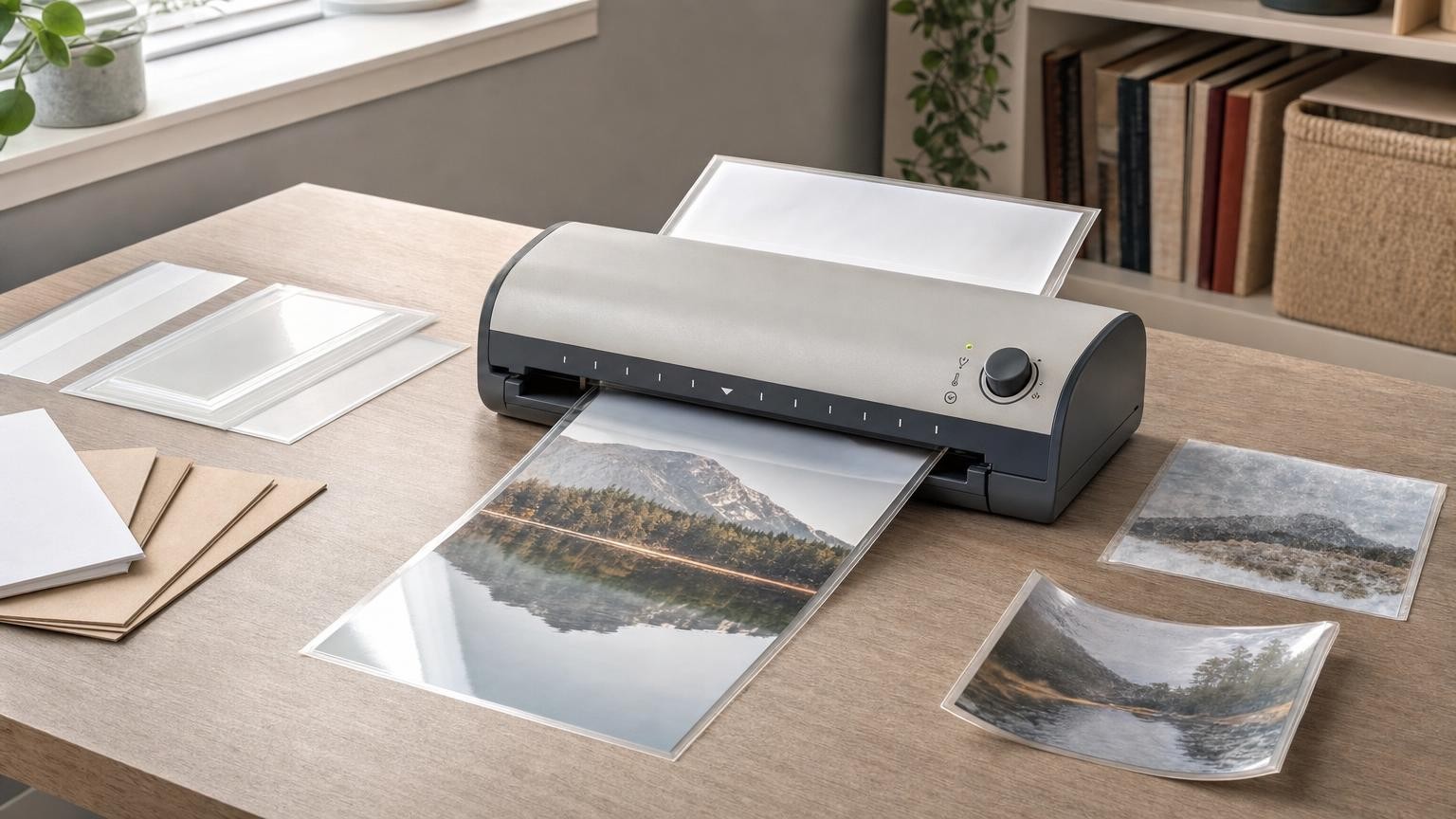
A good laminated finish depends on more than placing a document in a pouch and feeding it into a warm machine. Pouch thickness, the document itself, roller design, temperature and feed speed all affect how the adhesive melts, spreads and sets.
These variables need to work as a system. A thick pouch may produce a stiffer result, but only if the laminator can accept and heat it correctly. A higher temperature may improve an incomplete bond, but too much heat can distort the film or curl the document. Understanding these relationships makes it easier to compare laminators and diagnose disappointing results.
How a thermal laminator moves and seals a pouch
A thermal laminating pouch has two leaves joined along one edge. The inner surfaces contain a heat-activated adhesive. Once the document has been positioned inside, the joined or sealed edge is normally fed into the laminator first.
Inside the machine, heated components soften the adhesive. Rollers move the pouch through the mechanism while applying pressure across its width. This pressure helps the softened adhesive make consistent contact with the document and the opposing pouch leaf. As the finished laminate leaves the machine and cools, the bond sets.
The process explains several important operating habits:
- Feed the sealed edge first. This gives the rollers a straight, closed leading edge and helps prevent the pouch leaves from separating inside the mechanism.
- Keep the pouch square to the entry slot. Angled feeding can create wrinkles, uneven margins or a jam.
- Leave room at the exit. The hot laminate should not hit a wall, stationery or another object that forces it to bend back towards the machine.
- Support long items without pulling them. Pulling can alter the feed path, while allowing a long pouch to hang awkwardly may encourage curling.
The laminate can remain flexible immediately after it exits. It should usually be placed on a clean, flat surface and allowed to cool before its clarity, stiffness and bond are assessed.
What pouch micron ratings actually describe
A micron is one-thousandth of a millimetre. In pouch descriptions, the rating indicates film thickness, but shoppers need to check how the figure is presented. Some suppliers state the thickness of each pouch leaf, while others may describe the combined construction. Packaging and machine instructions should therefore be read carefully rather than comparing the number in isolation.
As a general principle, thicker film tends to produce a more rigid laminate with more substantial edges. Thinner film generally remains more flexible and takes up less space when many documents are stored together. Neither is automatically better.
Thickness also changes what the laminator must handle. A thicker pouch creates a bulkier package, requires suitable clearance through the feed path and may need a different heat or speed setting. The relevant buying specification is the machine’s stated supported pouch range, not simply its ability to accept the document’s width.
The paper and any inserts add to the total package thickness. A laminator that supports a particular pouch rating is not necessarily suitable for that pouch when it contains unusually thick card, layered materials or irregular objects. The manufacturer’s limits and instructions take priority.
Choosing thickness for the document and its use
Start with how the finished item will be handled. A document intended for filing or occasional reference may benefit from retaining some flexibility. A frequently handled notice, instruction sheet or label may call for greater stiffness, provided the machine and pouch are compatible.
Storage also matters. Thick laminates create more edge bulk in folders and binders, particularly when many sheets are stacked. Greater rigidity can make an item easier to hold but less convenient to roll, fold or fit into a tight filing system. Laminating is not suitable where the finished document must still be folded normally.
Consider the enclosed material as well as the pouch:
- Ordinary paper is usually straightforward when it is dry, flat and within the machine’s stated capacity.
- Heavy paper or card increases total thickness and may absorb or slow heat transfer differently from a light sheet.
- Layered inserts can create uneven pressure points, air pockets and poorly sealed areas.
- Irregular or raised contents may not pass safely or evenly through a machine designed for flat documents.
- Heat-sensitive materials can be damaged even if they physically fit inside the pouch.
A pouch micron rating describes the film, not universal suitability for everything that can be placed inside it. Thermal paper, some printed finishes, photographs and other temperature-sensitive items may change under heat. Check the material’s guidance and the laminator instructions before processing anything valuable or difficult to replace.
Roller design affects heat, pressure and feed control
Laminators do not all deliver heat in the same way. In some designs, heated rollers transfer heat while gripping and pressing the pouch. In others, fixed heated components warm the pouch before rollers apply pressure and move it onwards. The design can influence warm-up behaviour, heat consistency and how smoothly the pouch travels.
Rollers perform several related jobs. They need to grip the pouch, maintain alignment, apply reasonably even pressure and move the laminate at a controlled speed. Later rollers in a multi-roller path may help with transport, pressure or output control, depending on the machine’s construction.
Roller count alone is not a reliable measure of finish quality. Two machines with the same number of rollers may differ in roller diameter, spacing, heating arrangement, control system and supported materials. A larger advertised count should therefore be considered alongside the whole feed and heating design.
For shoppers, the practical questions are whether the design supports the intended pouch thickness, whether the controls provide an appropriate mode, and how the machine manages misfeeds. Clear instructions can be as valuable as an elaborate specification because they explain how the particular heating and roller system is meant to be used.
Why temperature settings and speed must match the pouch
The adhesive must receive enough heat for long enough to create a consistent bond. Required conditions can vary with pouch construction, film thickness, document mass and the laminator’s feed speed. This is why a setting intended for one pouch type should not automatically be used for another.
If the pouch receives too little heat, the adhesive may not activate fully. The result can be persistent haze, silver-looking areas, weak edges or sections that lift. Possible reasons include selecting too low a setting, feeding before the machine is ready or using a pouch outside the supported range.
Feed speed affects heat exposure. At the same heating level, a slower passage generally gives the pouch more time in the heated area, while a faster passage gives it less. Some laminators control speed automatically through preset modes; others allow more direct adjustment. Shoppers should not assume that a temperature number on one machine corresponds exactly to a setting on another.
Excessive heat or dwell time can soften and distort the film, increase waviness or encourage curling. It may also damage heat-sensitive contents. The objective is not the highest available temperature but the correct combination of heat and speed for the approved pouch and document.
Diagnosing cloudy finishes, curls and incomplete seals
Allow the laminate to cool flat before deciding that it has failed. Its appearance and stiffness can change as it leaves the hot rollers and reaches room temperature. If a problem remains, identify the symptom and change only one variable at a time.
Persistent cloudiness or hazy areas
- The laminator may not have completed its warm-up cycle.
- The selected mode may provide insufficient heat for the pouch.
- A thick document may be affecting heat transfer or pressure.
- Moisture in the document may contribute to an uneven appearance.
- Dirty rollers or contamination inside the pouch may create local marks.
If the pouch and contents are confirmed as compatible, consult the machine’s instructions before adjusting the setting or attempting another pass. Reprocessing is not suitable for every machine, pouch or document.
Open edges or isolated unsealed sections
An incomplete seal can result from inadequate heat, uneven insertion, excessive contents or contamination between the pouch leaves. A document positioned too close to an open edge may also leave too little pouch-to-pouch area for a dependable border. Follow the pouch supplier’s placement guidance rather than assuming that trimming close to the document is always acceptable.
Curling, rippling or distorted film
Too much heat can contribute to distortion, but output handling also matters. A laminate can curl if it is obstructed as it exits, allowed to droop sharply or moved before it has cooled. Uneven document placement and incompatible material combinations can produce local waves. Check the exit space and cooling method before changing the heat setting.
How jams happen and which features help
A pouch can jam when it enters at an angle, is fed open-edge first, separates in the mechanism or curls around an internal component. Overfilled pouches and contents that shift during feeding can also disrupt the path. Adhesive contamination on rollers may reduce grip and make later feeding less predictable.
Never force an unsuitable package through the slot simply because its outer width fits. Width capacity, pouch thickness and total document thickness are separate considerations.
When comparing machines, look for a clearly explained jam-management method. Depending on the design, this might be a reverse function or a mechanical release that reduces roller pressure so the pouch can be removed. The presence of a control is only part of the assessment: its location and the clarity of the operating instructions matter too.
Maintenance guidance is also relevant. Some machines specify cleaning procedures or compatible cleaning materials. Improvised tools, sharp objects or unapproved cleaning methods can damage rollers and internal surfaces. A laminator should be switched off and handled according to its instructions before any jam-clearing or maintenance procedure.
A compatibility-first checklist before buying
Before choosing a laminator, compare its specifications with the materials you actually expect to use:
- Pouch range: Does the stated supported range include the pouch thicknesses you plan to buy, and is the rating defined clearly?
- Document width: Is the entry wide enough for the relevant pouch size, not merely the bare sheet?
- Total thickness: Are heavy paper, card or other intended contents within the machine’s limits?
- Heat and mode control: Are there suitable settings or automatic modes for the supported pouches?
- Roller and heating design: Does the manufacturer explain how the system handles the intended materials rather than relying only on roller count?
- Warm-up workflow: Is there a clear ready indicator, and does the expected process suit how often you will use the machine?
- Jam management: Is there an accessible reverse or release method with understandable instructions?
- Output space: Can you provide a flat, unobstructed area behind the machine during use?
- Maintenance: Are cleaning and storage requirements clear and practical?
People laminating occasional standard documents may value simple, clearly labelled modes. More varied work may justify greater control, but only when those controls correspond to the required pouch range and the user is prepared to select them correctly.
Match the whole laminating system
Reliable lamination comes from matching the pouch, enclosed document, heat, speed and roller path. The thickest pouch is not automatically the most protective choice in practical use if it exceeds the machine’s capacity, and the machine with the largest roller count is not automatically the best fit.
Begin with the documents and how the finished laminates will be handled. Then verify pouch definitions, machine limits, settings and jam-management features. During use, feed the sealed edge first, keep the pouch straight, leave the exit clear and let the result cool flat. Treating lamination as a complete system is the simplest way to reduce haze, curl, incomplete seals and avoidable jams.