





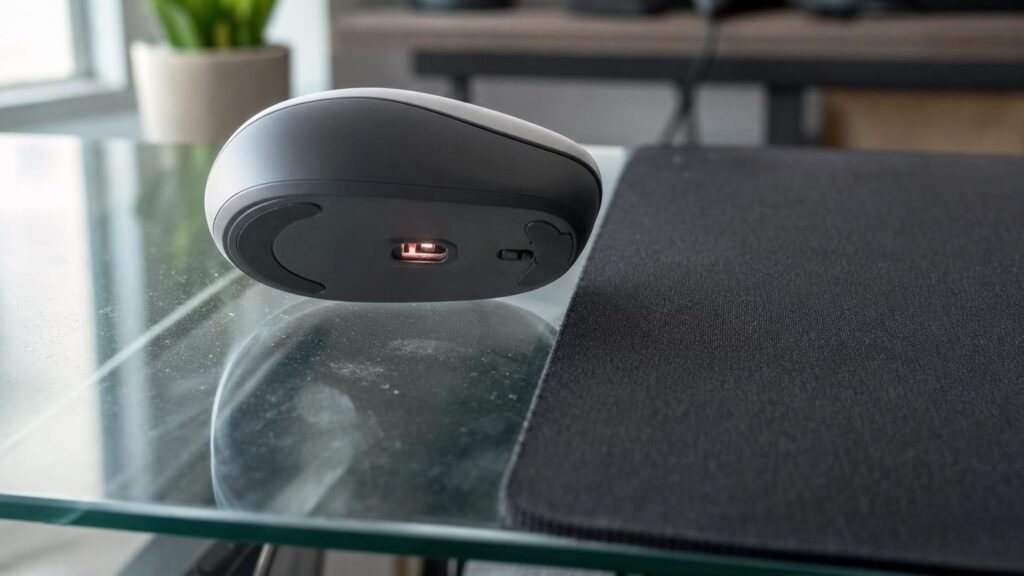
A mouse that works perfectly on wood, paper or a fabric mat may become erratic on a glass desk. The cursor might pause, jump, drift or fail to move at all. This does not necessarily mean that the mouse is faulty. More often, its tracking system cannot find enough consistent surface detail to calculate movement.
Some mice are specifically designed to track on glass and other difficult surfaces, but the relevant technology is easy to confuse with specifications such as DPI, polling rate or laser illumination. Understanding what the sensor actually needs makes it easier to decide whether to buy a glass-capable mouse or simply add a suitable mouse mat.
Why the desk surface matters to mouse tracking
An ordinary optical mouse works best when the surface beneath it contains small, visible variations. These might be fibres in a mouse mat, grain in a wooden desk or microscopic irregularities in a matt finish. The pattern does not have to be obvious to the eye. It only needs to give the mouse enough changing detail to recognise that it has moved.
Clear glass can be difficult because it may present very little usable texture at the point where the mouse expects to see a surface. A highly polished or reflective desk can cause a different problem: plenty of light may return to the sensor, but the reflections may not form a stable pattern that can be followed.
The important question is therefore not simply whether a surface reflects light. It is whether the mouse can repeatedly observe a useful pattern and compare its position from one moment to the next.
How an optical mouse turns surface images into movement
A typical optical mouse combines an illumination source, a lens, an image sensor and processing electronics. The light source illuminates the area beneath the mouse, while the optical system directs an image of that area towards the sensor. The mouse captures successive views and compares the position of surface features between them.
If a group of visible details shifts in one direction, the processor can infer that the mouse moved in the opposite direction. It then converts the estimated distance and direction into cursor movement. This happens continuously as the mouse travels across the desk.
The mouse is not simply measuring the amount of reflected light. A bright return is not automatically useful, and a darker surface is not automatically unsuitable. What matters is the quality, contrast and consistency of the detail reaching the image sensor. A matt surface tends to scatter illumination in a way that reveals texture, whereas clear or highly reflective materials can leave the sensor with incomplete, unstable or misleading information.
Why clear, glossy and reflective surfaces cause different problems
Clear glass may provide too little detail
Transparent glass often has few visible features at the sensor’s focal area. Some illumination passes through instead of returning a useful image. The sensor may see the material below the desk, reflections from the room or small marks on the glass rather than a consistent surface pattern.
This can produce complete tracking loss or intermittent movement. A mouse might work over a fingerprint or a dusty patch and then stop on a cleaner section because those marks temporarily provide the missing contrast.
Glossy finishes can create glare
A glossy painted or laminated desk is not necessarily transparent, but its smooth finish can create strong, uneven highlights. As the mouse moves, the angle and intensity of these reflections may change sharply. The resulting image can be harder to compare than the diffuse, stable texture of a matt surface.
Common symptoms include jitter, skipped movement or a cursor that responds differently depending on the direction of travel. Ambient lighting can also influence the result if bright reflections enter the sensor area.
Mirror-like surfaces can overwhelm or redirect illumination
A mirror or polished metal surface may reflect the mouse’s illumination away from the optical path or send a concentrated reflection back towards it. In either case, the sensor may not receive a balanced image of surface features. The mouse can encounter excessive brightness in one area and too little useful contrast in another.
These categories overlap in practice. Tinted glass, coated glass and glass with a textured finish may behave differently from a plain transparent panel. A mouse that handles one difficult surface is not automatically suitable for every shiny material.
What track-on-glass sensors do differently
A track-on-glass mouse still uses the basic principle of observing surface detail and calculating movement. It is not a completely separate type of pointing device. The difference lies in how its illumination, optics, sensor and processing are designed to recover useful information from surfaces that reveal less obvious texture.
A glass-capable design may use illumination that makes very small irregularities more visible, optics better suited to collecting the returned light, a sensor able to distinguish lower-contrast features, and processing that can work with subtler or less uniform patterns. These elements need to operate together. Changing only one component does not guarantee reliable results.
Even apparently smooth glass can contain microscopic features, contamination or coatings that affect light. A suitable tracking system may be able to detect enough of this detail to estimate movement where an ordinary sensor cannot. That does not mean every glass desk will produce identical performance. The useful features and optical conditions still vary between surfaces.
For shoppers, the meaningful distinction is whether the manufacturer explicitly describes the mouse as suitable for glass or the intended type of desk. General wording such as working on “most surfaces” is less informative than a clear surface-specific statement.
Illumination type is only part of the answer
Optical mice can use visible LED, infrared or laser illumination. The wavelength, beam characteristics and way light interacts with the surface can affect the detail available to the sensor. More directional illumination may reveal fine surface features differently from broadly scattered light, while different wavelengths may interact differently with coatings and materials.
However, the name of the illumination technology does not describe the whole tracking system. A mouse labelled “laser” is not automatically dependable on clear glass, just as an LED-based design is not automatically unsuitable. The optics, sensor sensitivity, focal arrangement and image-processing method remain important.
It is also unwise to treat a high DPI figure as evidence of advanced surface compatibility. DPI concerns how physical movement is translated into reported cursor movement. A highly sensitive mouse still needs a reliable image from which to calculate that movement. If the sensor cannot identify the surface pattern, increasing sensitivity cannot create the missing information.
Sensitivity, polling and lift-off distance solve different problems
Several mouse specifications are commonly grouped together even though they address separate aspects of use:
- DPI or sensitivity affects how far the pointer moves in response to physical mouse movement. Higher settings can provide faster cursor travel but do not prove that the sensor can read glass.
- Polling rate describes how frequently the mouse reports information to the connected computer. A higher rate can change responsiveness, but it cannot correct unreliable surface detection.
- Lift-off distance is the height at which the mouse stops tracking when raised from the desk. This matters when users frequently lift and reposition the mouse, but it is not a measure of glass compatibility.
Lift-off behaviour can still influence the experience on a glass desk. If tracking continues while the mouse is being repositioned, the cursor may move unintentionally. Some users prefer a low lift-off distance for this reason. Others rarely lift the mouse and may place less importance on it. Either way, it should be considered as a handling preference rather than evidence that the sensor will work on the desk.
Surface variation means compatibility claims need context
“Glass” describes a broad group of real-world surfaces rather than one standard test condition. Thickness, tint, coatings, texture and cleanliness can all alter how illumination travels through or reflects from a desktop. Frosted or etched glass may give a sensor more visible detail than a smooth transparent panel, while an anti-glare treatment may change reflections.
Objects beneath the desk can matter too. A mouse may appear to track the pattern of a document, shelf or coloured surface below the glass, then behave differently when that object is removed. This is not the same as reliably tracking the glass itself. Strong daylight, desk lamps and other changing reflections may also affect marginal tracking performance.
Shoppers should therefore interpret broad compatibility wording carefully. Look for explicit support for glass if that is the main requirement, and check whether any stated limitations apply to particular glass types or finishes. Independent user experiences may be helpful when they describe a desk similar to yours, but an isolated report should not be treated as a universal result.
When a mouse mat is the simpler choice
A glass-capable sensor is useful when the mouse must operate directly on the desk, but a mat or desk pad can be a more predictable solution. It supplies a consistent, textured surface that ordinary optical sensors are designed to read, while also changing the feel and sound of mouse movement.
A mat may be the practical choice when:
- you already own a comfortable mouse that works well elsewhere;
- you want consistent tracking regardless of glass coatings or room lighting;
- you prefer a softer glide or less contact noise;
- you want to reduce direct rubbing between the mouse feet and the desktop;
- there is enough space to leave a mat in position.
Direct glass tracking may deserve priority when desk space is limited, you regularly work at glass tables away from home, or you do not want to carry and position an extra accessory. It can also keep a transparent or minimalist desk visually uncluttered.
Surface feel remains a separate consideration. A sensor may technically track on glass while the hard surface still feels noisy, cold or less controlled than a fabric mat. Conversely, some users prefer the firmer glide of a hard desk. Compatibility answers whether tracking works; it does not determine whether the surface will feel pleasant.
A practical decision checklist for glass-desk users
- Identify the exact finish. Note whether the desk is clear, tinted, frosted, coated, glossy or mirror-like rather than relying on the single word “glass”.
- Look for explicit surface support. Prefer a direct statement about glass or the relevant difficult surface over a vague claim about general versatility.
- Do not use DPI as a shortcut. Choose sensitivity for cursor control and display use, not as a proxy for tracking capability.
- Consider how you reposition the mouse. If you lift it often, lift-off behaviour may matter alongside surface compatibility.
- Think about normal conditions. Lighting, objects beneath the glass and the area of the desk you use can all affect results.
- Compare the accessory option. A mouse mat may solve the problem more simply and let you choose from a wider range of mice based on comfort, controls and connectivity.
- Test realistically where possible. If trial or return arrangements permit, use the mouse on your own desk under normal lighting and with your usual movement patterns.
Choose for the surface, not the headline specification
Reliable mouse tracking depends on the interaction between illumination, optics, sensor sensitivity, processing and the physical desk surface. Clear glass may offer too little visible texture, glossy finishes can introduce unstable glare, and mirror-like materials can redirect or concentrate reflections. Glass-capable sensors are designed to extract usable movement information under more of these difficult conditions, but their effectiveness cannot be inferred from DPI, polling rate or the word “laser” alone.
If direct use on glass is essential, seek an explicit claim that addresses the intended surface and consider the conditions in which the mouse will be used. If it is not essential, a mat or desk pad offers a straightforward route to predictable tracking. The best choice is the one that matches both the desk and the way the mouse will actually be handled.
Continue exploring on Frowse
Discover More Frowse Insights
- Where Ink Goes When an Inkjet Printer Is Not Printing Pages
- Hair Clipper Cutting Length Explained: Blades, Taper Levers and Guards
- Why the Number on a Toaster Dial Usually Is Not Minutes
- Why Mattress Firmness and Foam Density Are Not the Same Thing
- What Changes Inside a Quartz Clock When the Second Hand Sweeps Instead of Ticks