




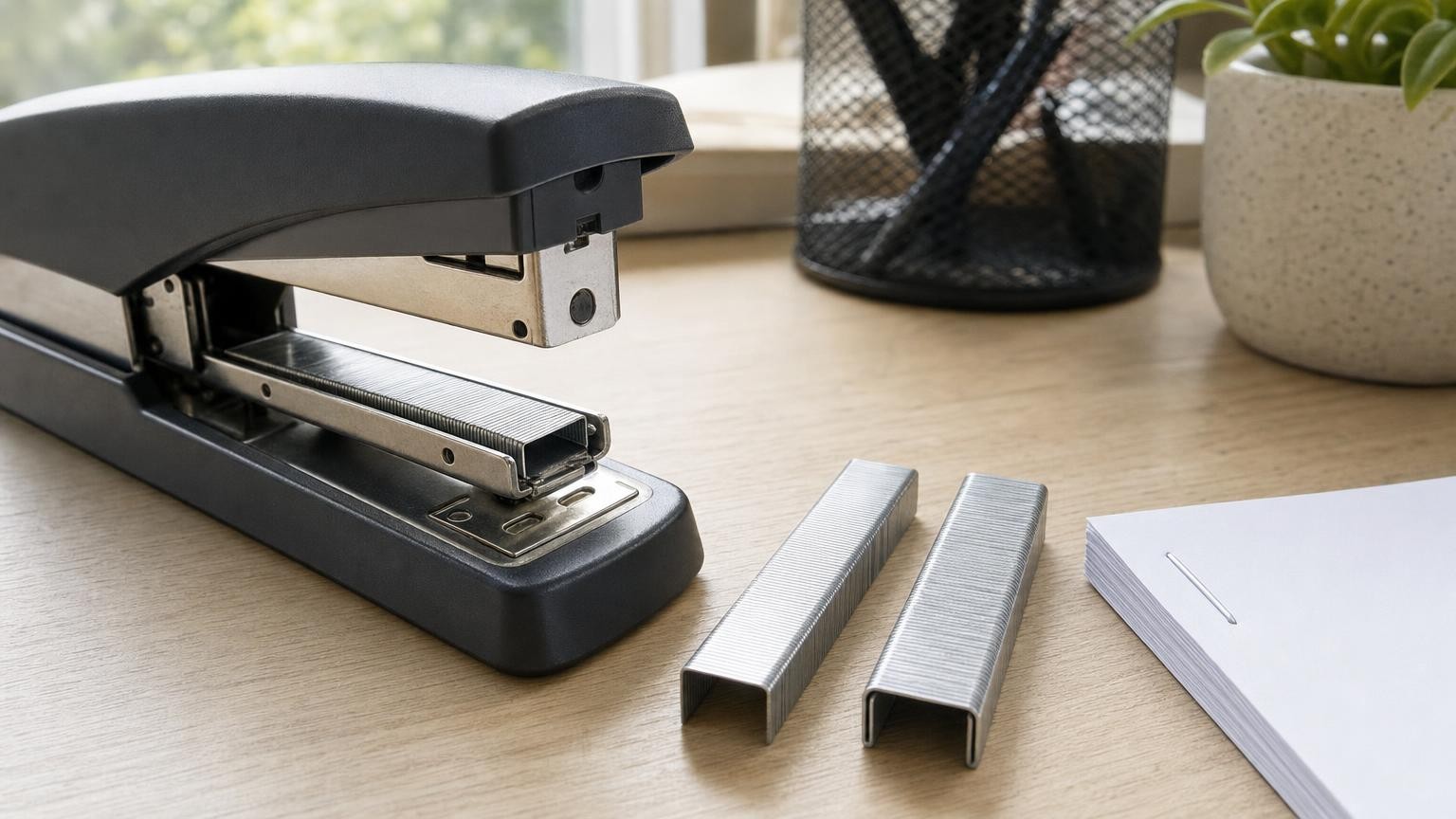
Two staples can look virtually identical on a desk yet behave very differently inside a stapler. A matching leg length does not guarantee compatibility, and labels such as “standard” or “heavy-duty” do not describe one universal fastener. Reliable stapling depends on a three-part fit between the staple, the mechanism that drives it and the material being joined.
The correct staple must sit properly in the magazine, advance through the feed channel, align with the driver and bend where the stapler expects it to meet the anvil. It must also have suitable legs and wire strength for the actual thickness and resistance of the material. If any part of that relationship is wrong, the result may be a jam, a weak closure or a staple that only partly penetrates.
Staple series: the compatibility code that matters first
A staple series identifies a particular fastener format intended for compatible tools. It may define or imply several characteristics, including crown width, wire thickness and overall profile. Different leg lengths can sometimes be available within the same series, allowing one compatible stapler to handle a range of stack thicknesses.
The series specified for the stapler should therefore be the starting point when buying refills. It is more useful than comparing staples by sight or looking only at a leg-length number. Two series can have similar external measurements but differ enough to feed, drive or clinch incorrectly.
Manufacturer terminology can complicate the choice. Words such as “standard”, “mini”, “heavy-duty” and “fine wire” describe broad categories rather than guaranteed cross-brand compatibility. Even when two packs display apparently similar dimensions, that does not establish that their staple profiles or manufacturing tolerances suit the same mechanism.
Check the markings on the stapler, its loading compartment, packaging or instructions for the specified series. If several series or leg lengths are supported, stay within that stated range rather than assuming that a visually similar alternative will work.
The four dimensions behind a correct staple fit
A staple is a formed piece of wire, but four characteristics determine how it interacts with a tool.
Crown width
The crown is the horizontal section struck by the driver. Its width must suit the magazine and align with the driver blade and, in a clinching stapler, the grooves in the anvil. A crown that is too wide may bind in the channel. One that is too narrow may move laterally, feed unreliably or miss the intended clinching positions.
Leg length
The legs must pass through the material and leave enough wire beneath it to bend into a secure clinch. Short legs may not emerge sufficiently to close. Excessively long legs can buckle, cross, overlap or leave an untidy and potentially loose result. Leg length is therefore selected for both the tool’s supported range and the thickness of the job.
Wire gauge or thickness
Thicker wire can offer greater resistance to bending during penetration, but it also requires more force to drive and clinch. A stapler designed for lighter wire may not provide enough force or clearance for a heavier staple. Conversely, wire that is too fine for the mechanism may deform under the driver or fail to behave as intended in demanding material.
Overall profile
The shape of the crown and legs, the wire cross-section and the way the staples are formed into a strip all affect feeding. Small differences can alter how a strip rests on the magazine rail or moves beneath the driver. This is why matching one printed dimension is not a substitute for matching the complete staple series.
How the magazine, driver and clinching anvil work together
Understanding the stapling cycle makes incompatibility easier to recognise. First, the staple strip is loaded into the magazine. A spring-driven follower keeps the strip moving towards the front. The leading staple must travel freely while remaining accurately positioned.
When the stapler is pressed, the driver descends onto the crown of that leading staple. It separates the staple from the strip and forces both legs through the paper or other material. In a desktop or plier stapler, the legs then meet shaped grooves in the anvil. Those grooves redirect the legs so that they fold beneath the stack.
Every stage depends on alignment. An overly wide or thick staple can drag against the magazine walls. A narrow staple can sit off-centre. An incorrect crown profile may not engage cleanly with the driver. Legs that do not reach the intended points on the anvil may splay outwards or fold unevenly.
The force applied by the user does not necessarily solve these problems. Pressing harder on an incompatible fastener may crush its crown, bend a leg inside the head or wedge the staple more firmly into the feed channel. Compatibility comes from geometry and mechanism design, not simply from driving force.
Why stapler type changes the fastener requirements
Different kinds of stapler may perform related jobs, but they do not all feed or close staples in the same way.
Standard desktop staplers
Desktop models generally drive a staple through a modest paper stack and fold the legs against an anvil in the base. Their magazines, drivers and available leverage are designed around particular office-staple formats. “Standard” on a refill pack should not be treated as proof of fit.
Heavy-duty staplers
Heavy-duty tools use greater leverage and are designed for thicker stacks, often with a supported choice of leg lengths. Their staples may have heavier wire or a different crown and profile. Substituting them into a conventional desktop stapler can cause feeding and driving failures, even if the strip appears to fit into the open magazine.
Flat-clinch staplers
A flat-clinch mechanism bends the legs so they lie flatter against the underside of the stack, reducing the bulky ridge produced by conventional inward-curving clinches. Its driver and clinching mechanism must control the staple in a particular way. Some flat-clinch staplers use familiar staple formats, while others require purpose-matched fasteners, so the tool specification remains decisive.
Plier staplers
Plier staplers are operated by squeezing handles and are useful where the material is easier to approach from an edge. They still depend on the alignment of magazine, driver and anvil. Their physical form does not make their staples universal, and models intended for paper, packaging or other tasks may use different formats.
Tackers
A tacker usually drives a staple into a supporting material rather than folding its legs beneath a loose paper stack. There may be no clinching anvil at all. Penetration, holding area and backing-material resistance therefore become central considerations. Tacker staples should not be confused with office staples merely because both have two legs and a crown.
Leg length, stack thickness and nominal sheet capacity
Sheet capacity is a useful comparison point, but it is conditional rather than absolute. A stated number of sheets normally assumes a particular type and thickness of paper, a compatible staple and correct operation. Real jobs vary.
Heavy paper, card, coatings, folded sheets, labels and mixed materials can create a thicker or more resistant stack than the same number of ordinary sheets. A stapler might penetrate fewer sheets of card than paper even when both piles appear manageable. Compressibility matters too: a soft stack can shift or compress under the head, while a dense one can resist penetration.
Choose leg length according to actual stack thickness and the stapler’s supported staple range. The legs need enough remaining length after penetration to form the intended clinch. If they barely emerge, the closure may be loose. If far too much wire emerges, the legs may collide, curl unpredictably or fail to lie neatly.
Do not compensate for an overfilled stack by fitting longer staples unless the stapler explicitly supports them. Longer legs do not increase the tool’s driving power, nor do they change the clearances in its magazine and head.
Wire gauge and crown width: strength versus mechanism fit
A more substantial-looking staple is not automatically a better staple. Heavier wire can resist deformation as it enters demanding material, but the driver must deliver enough force to push it through and the anvil must be able to bend it. In a mechanism designed for lighter wire, extra thickness may increase friction, prevent full insertion or strain the feeding action.
Crown width also involves a trade-off. A wider crown can distribute holding force across a broader area in an appropriate application. However, it must still match the magazine width, driver face and clinching geometry. If it does not, the theoretical benefit is irrelevant because the staple may never seat or close correctly.
This distinction is particularly important when comparing office staplers with tackers. Tacker staples may use different crown widths and wire forms to suit attachment to backing materials. Those characteristics cannot be transferred safely or effectively to an office mechanism that was designed to fold staple legs beneath paper.
Diagnosing jams and poor clinches without guessing
A fault does not always mean the staple series is wrong. Use the symptom and the circumstances to narrow down the cause.
- Repeated feed failures: Confirm the series, strip orientation and loading method. Look for bent strips, adhesive residue, fragments or debris in the channel.
- Crushed or deeply dented crowns: The staple may be meeting excessive resistance, sitting incorrectly under the driver or being used on an over-thick stack.
- Splayed legs: Check whether the staple is centred over the anvil and whether the crown width and series are correct. Movement in the stack can also disturb alignment.
- One leg penetrates but the other bends: The material may be uneven, the staple damaged, the stack poorly positioned or the driver misaligned.
- Legs emerge but do not close securely: They may be too short for the stack, or the staple may not be reaching the anvil with enough force.
- Overlapping or excessively curled legs: The legs may be unnecessarily long for the stack, assuming the staple is otherwise compatible.
- Intermittent jams with the correct refill: Inspect for damaged strips, overloading, dirt or a worn mechanism rather than immediately changing staple type.
Disconnect or unload a tool as appropriate before clearing a blockage, and follow its instructions. Avoid probing a loaded mechanism or placing fingers near the driver path.
A compatibility-first checklist before buying
- Identify the stapler type. Establish whether it is a desktop, heavy-duty, flat-clinch, plier or tacker mechanism.
- Find the specified staple series. Use markings or instructions rather than judging by appearance or generic wording.
- Check supported leg lengths. Some tools accept several lengths within one series; others are more restricted.
- Consider the actual material. Judge thickness, density and resistance, not simply the nominal sheet count.
- Match the complete format. Crown width, wire gauge, leg length and profile must all suit the mechanism.
- Inspect refill strips before loading. Bent, separated or damaged staples can cause trouble even when their specification is correct.
- Do not force an apparent fit. A strip sliding into an open magazine does not prove that it will feed, drive and clinch properly.
The safest buying decision is to treat staples as mechanism-specific fasteners rather than generic pieces of wire. Start with the stapler’s designated series, choose a supported leg length for the real material thickness and keep the stapler’s driving and clinching design in mind. When the fastener, tool and task are properly matched, feeding becomes more reliable and the finished clinch is more likely to be secure and tidy.
Continue exploring on Frowse
Discover More Frowse Insights
- End Grain, Edge Grain and Face Grain Cutting Boards Explained
- Why a Wireless Charger’s Wattage Is Not Its Charging Speed
- Drive Size, Socket Size and Point Count: Understanding Socket Compatibility
- What a Surge Protector’s Joule Rating Means and Why Protection Wears Out
- Why Tennis Balls Come in Pressurised Cans – and What Changes After Opening