


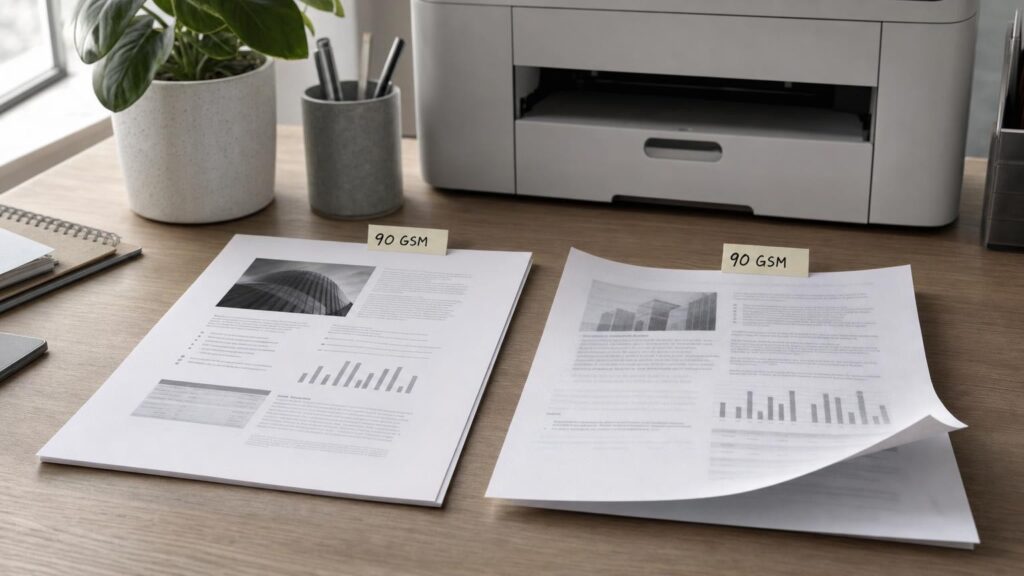
Paper weight is often the first specification shoppers notice. A pack labelled 80 GSM, 90 GSM or 120 GSM appears to offer a simple scale: the higher the number, the more substantial the paper. Yet weight alone cannot predict whether sheets will feed reliably, lie flat, produce sharp text or prevent printing on the reverse from showing through.
GSM describes how much a square metre of paper weighs. It does not directly describe thickness, rigidity, opacity, absorbency or surface finish. Those properties depend on how the sheet is made, including its fibre structure, compression, treatment and moisture content. To choose paper confidently, it helps to treat GSM as one part of a wider specification rather than as a quality score.
What GSM Tells You and What It Does Not
GSM stands for grams per square metre. It is a measure of mass per unit area, so a square metre of 100 GSM paper weighs 100 grams under the conditions used for measurement. This makes GSM useful for comparing the nominal weight of papers regardless of sheet size.
Some markets and specialist paper sectors also use basis weight, which expresses the weight of a set number of sheets at a defined base size. Because base sizes can differ by paper category, basis-weight figures are not always directly comparable without conversion. GSM avoids much of that ambiguity, but it still measures only mass.
Two papers with the same GSM can differ noticeably. One may be relatively bulky and thick because its fibre structure contains more air. Another may be compressed to create a thinner, denser and smoother sheet. They can therefore feel different in the hand and behave differently inside a printer despite having the same stated weight.
GSM also does not reveal perceived quality on its own. A heavier sheet may suit a cover page or certificate, but it could be unnecessary for everyday correspondence or unsuitable for a particular paper path. Conversely, a well-made lighter sheet may offer the opacity, smoothness and feeding consistency needed for routine double-sided documents.
Caliper and Stiffness: Why Feeding Depends on More Than Weight
Caliper is the physical thickness of a sheet, usually stated in micrometres or another small unit of length. It is related to GSM but is not interchangeable with it. A bulky paper can have a greater caliper than a denser paper of the same weight.
Thickness matters because printers move paper through spaces designed around particular media dimensions. A sheet may pass through pickup rollers, separation mechanisms, curved guides, a duplex unit and an output path. If it is too thick for a particular route, it may not bend or clear components as intended. Printer documentation may specify different supported ranges for the main tray, a manual or multipurpose feed and automatic duplex printing.
Stiffness describes resistance to bending. It is influenced by thickness, fibre composition, fibre alignment, moisture and manufacturing processes. Although thicker sheets are often stiffer, the relationship is not exact. Two sheets with similar caliper can resist bending differently.
Very flexible sheets can be harder for some feeding systems to separate consistently, particularly if sheets cling together or have curled edges. Very stiff sheets may struggle with tight turns or automatic duplex paths. Output handling also changes: a rigid sheet may stack differently, while a low-stiffness sheet carrying heavy print coverage may curl or sag.
This is why a printer’s documented media guidance matters more than a general assumption that a given GSM will work everywhere. Check the approved weight or thickness range, supported media types, recommended feed tray and any narrower limits for duplex operation. Selecting the correct paper type in the print driver can also matter because printers may adjust speed, temperature, ink use or handling for different media.
Opacity and Duplex Printing: Controlling Show-Through
Opacity describes how effectively paper blocks light. It is especially important for double-sided printing because low-opacity paper allows text and images on the reverse to remain visible through the sheet. This visual interference is commonly called show-through.
Higher GSM can improve opacity because there is generally more material between the two sides. It does not guarantee it, however. Fibre composition, fillers, colour, formation and manufacturing all affect how light passes through paper. Papers of equal weight can consequently have different opacity.
Show-through should also be distinguished from ink penetration. Low opacity makes reverse-side printing visible because light travels through the sheet. Penetration or strike-through occurs when a liquid colourant soaks deeply enough to become visible on or near the other side. Heavy ink coverage can also cause cockling or waviness without fully penetrating the paper.
For double-sided reports, manuals or correspondence, an opacity specification is more informative than GSM alone. Where opacity is not published, descriptions indicating suitability for duplex work may offer useful context, but they should still be considered alongside the printer type and expected print coverage. A page containing dense graphics places different demands on paper from one containing mostly black text.
Grain Direction: The Hidden Influence on Curl, Folding and Jams
During manufacture, many paper fibres become preferentially aligned in the direction in which the web of paper travels. This creates a grain direction. Paper usually bends and folds more readily with the grain than across it, and its dimensional response to moisture is also different in the two directions.
Grain direction can affect how a sheet negotiates a curved paper path, particularly when the media is thick or stiff. It may also influence curl after printing and duplexing because the sheet experiences changes in heat, moisture or coverage on one or both sides. No grain orientation can guarantee trouble-free feeding, but it is one of the reasons nominally identical weights may behave differently.
Grain is particularly relevant when printed sheets will be folded. A fold made parallel to the grain is generally cleaner and less resistant than one made across it. Folding across the grain can make cracking or an uneven crease more noticeable, especially with heavier or coated media. Scoring before folding may help with substantial stocks, provided the process and finish are appropriate.
Packaging or supplier specifications may identify grain direction, sometimes through terminology linked to the sheet’s long or short dimension. If it is not stated, gently bending a sample in both directions can indicate which direction offers less resistance. Tearing or moistening tests are also sometimes used, but these can be subjective and destructive. For important work, documented grain information is more dependable than an improvised test.
Surface Sizing, Smoothness and Coatings
Paper surfaces can be modified in several ways, and the terms are easy to confuse. Internal sizing is introduced during papermaking to control how readily the sheet absorbs liquid. Surface sizing is applied closer to the paper’s surface to improve characteristics such as strength, resistance to liquid penetration and print definition. These treatments do not necessarily make a paper coated.
Coated paper has a distinct surface layer containing materials designed to alter smoothness, appearance and print response. Coatings may produce finishes ranging from matt to glossy. An uncoated sheet can still be smooth and well sized, while a coated sheet can vary considerably in texture and intended printing process.
How the surface affects ink
With liquid ink, absorbency affects how far colour spreads before it sets. If the surface absorbs too readily, fine lines and text edges may appear less defined, and colours may look less intense. If ink remains near the surface, it may appear sharper or more saturated, but drying behaviour can change and smudging may become a consideration.
Heavy ink coverage can introduce additional challenges. Moisture from the ink may distort the sheet, while applying more ink than the surface can accept may slow drying or reduce detail. Paper intended for a particular inkjet use is therefore more than simply a heavier version of ordinary copier paper.
How the surface affects toner
Laser printers and copiers place toner on the surface and use heat and pressure during bonding. Smoothness can support even toner placement and fine detail, but the media must also be appropriate for the equipment and its operating conditions. A coating designed for another printing process is not automatically suitable for a laser printer.
Likewise, a glossy appearance does not establish compatibility with either inkjet or laser technology. Inkjet coatings are designed around liquid-ink behaviour, while laser-suitable media must tolerate the relevant paper path and fusing process. Shoppers should look for an explicit media description and check the printer manufacturer’s guidance rather than inferring suitability from weight, gloss or smoothness.
Moisture, Storage and the Paper’s Changing Shape
Paper exchanges moisture with the surrounding air. As environmental conditions change, fibres can expand, contract or lose stiffness. The result may be edge curl, waviness, dimensional change or sheets that no longer separate as consistently as they did when first opened.
This helps explain why a familiar paper can behave differently from one occasion to another. The nominal GSM has not changed, but the sheet’s shape, flexibility and surface condition may have. Rapid movement between a cold storage area and a warm room can also create an abrupt change in conditions.
Keep unopened paper in its moisture-resistant wrapper until needed. Store packs flat in stable indoor conditions rather than standing them on an edge or placing them near heaters, windows, damp walls or strong airflow. Once opened, reseal or closely wrap unused sheets where practical.
If a pack is unusually cold or warm, allow it to reach the room’s conditions before opening it. Keeping the wrapper closed during this period reduces sudden moisture exchange. Avoid overfilling trays, fan or separate sheets only when the paper or printer instructions call for it, and inspect the stack for curled corners or damaged edges before loading.
Reading Paper Specifications as a Set
A sensible buying decision starts with the print job and the printer path, not with the highest available GSM. Consider the specifications together:
- For everyday text documents: prioritise reliable feeding, a suitable surface for the printer technology and enough opacity for the intended use. Extra weight may offer little benefit if documents are printed on one side and handled briefly.
- For duplex printing: look closely at opacity, stiffness, curl behaviour and the printer’s automatic-duplex media limits. Remember that heavy print coverage can make reverse-side interference more noticeable.
- For ink-heavy pages: consider inkjet suitability, absorbency, surface treatment, drying behaviour and dimensional stability. GSM does not indicate how the surface will manage liquid ink.
- For toner printing: confirm laser or copier suitability and follow the recommended media settings and feed path. Do not assume that every smooth, glossy or coated sheet can tolerate the process.
- For presentation or folded output: assess caliper, stiffness, finish, opacity and grain direction. A substantial feel may be useful, but fold quality and printer handling remain separate questions.
Start with the printer manual’s supported media range, including any tray-specific and duplex restrictions. Then compare paper weight, caliper where available, opacity, finish, coating status and stated printing compatibility. Grain direction may matter for demanding folding or feeding tasks, while storage and handling can determine whether the paper retains its intended properties.
Samples can be valuable for important or repeat work. Test the actual artwork, print coverage, duplex setting and finishing method rather than judging a blank sheet by touch alone. A paper that feels luxurious may not deliver the required image quality, while an apparently ordinary sheet may be better matched to a high-volume document.
Choose for the Print Job and the Paper Path
GSM remains a useful starting point. It indicates mass per unit area and helps distinguish broad paper categories, but it cannot independently predict thickness, rigidity, opacity, ink response, toner performance or feeding reliability.
Those outcomes result from interacting properties: caliper affects clearance, stiffness affects bending, opacity affects duplex readability, grain direction influences flexing and folding, and surface treatment controls how ink or toner meets the sheet. Moisture can alter several of these characteristics after purchase.
The practical approach is to match the complete paper specification to the printer, feed path and document. Use GSM as an initial descriptor, then investigate the property connected to the result you need. For feeding, examine thickness, stiffness and approved media ranges. For duplex printing, consider opacity and curl. For image quality, assess surface treatment and printer compatibility. Paper performance is not contained in one number.