


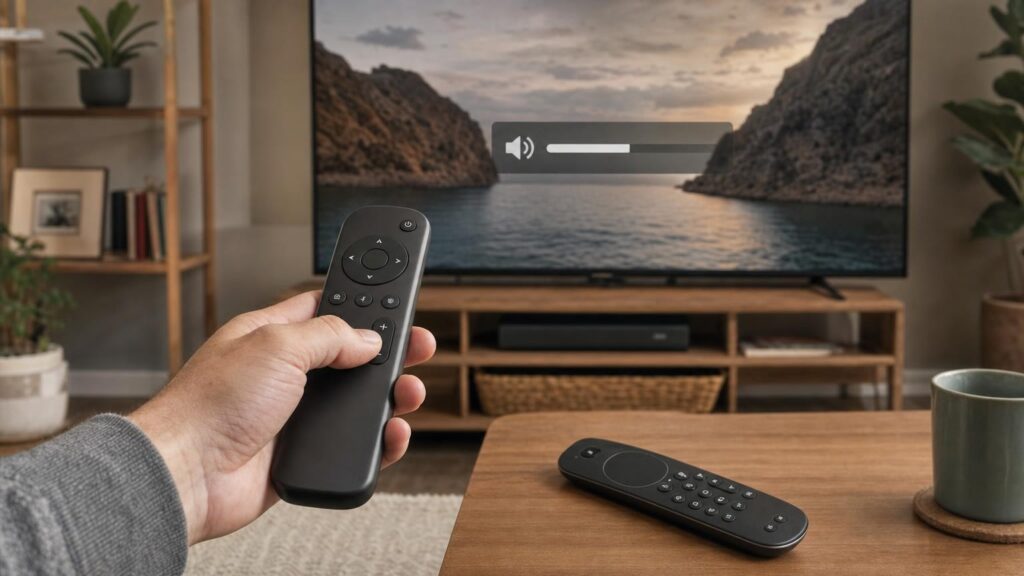
A universal remote can be a convenient replacement for a lost or damaged television handset, but the word universal can create misleading expectations. It usually means that the remote can operate a range of devices, not that it can reproduce every button, wireless feature and software interaction of every original remote.
The most useful question is therefore not simply, “Does it work with my television brand?” It is, “Will it retain the particular functions I use?” Power, volume and channel controls may be straightforward, while voice search, motion control, app shortcuts or direct input selection can require a much closer match.
How a Remote Sends Commands: Infrared, Bluetooth and Other Radio Links
Remote compatibility begins with the way commands travel from the handset to the television. Two remotes may look similar and list the same brand, yet use different communication methods.
Infrared
Traditional television remotes commonly use infrared, often shortened to IR. An infrared emitter at the front of the handset sends pulses of invisible light to a receiver on the television. Because light is involved, the remote generally needs to be aimed towards the set with a reasonably clear line of sight.
Infrared is well suited to universal remotes because the handset can store command patterns for many devices. It does not normally need wireless pairing, and basic commands can often be programmed through a device code or an automatic search.
The limitations are practical as well as technical. A cabinet door or another object can block the signal, and an infrared-only replacement cannot directly reproduce a command that the original remote sends through Bluetooth or another radio connection.
Bluetooth and proprietary radio connections
Bluetooth and other radio-based systems do not rely on line of sight in the same way. They can support two-way communication and additional features such as microphones, keyboards and motion sensors. The remote usually has to be paired with the television or connected device before these functions become available.
A replacement that offers infrared control may still turn on a television whose original remote uses Bluetooth. This is possible when the television accepts some common commands through infrared but reserves advanced functions for its paired connection. As a result, successful power control does not establish that the replacement supports the television’s complete remote system.
Some equipment uses a manufacturer-specific radio method rather than standard Bluetooth. In that situation, a generic Bluetooth remote is not automatically compatible. The television and remote must support the same connection and the required pairing process.
Command Codes, Code Sets and Device Profiles
Each button press has to be translated into a command the receiving device understands. An infrared power button, for example, sends a particular pattern rather than a universal “power” instruction understood by every television.
Manufacturers may use different code sets between brands, product families or generations. Several models can share their common commands while differing on inputs, menus or smart features. Universal remotes deal with this variation by storing device profiles containing collections of commands.
Setup methods vary. A remote may ask for a numerical code associated with a brand or device family, offer an automatic code search, or provide a list of profiles through an app. Finding a profile that switches the television off only shows that at least one command matches. It does not confirm that every other button has an accurate equivalent.
Some universal remotes can also learn infrared commands. During learning, the original remote is pointed at the replacement so that individual signals can be copied. This can fill gaps in a preset profile, but only for commands the original handset transmits by infrared. It cannot copy a Bluetooth voice function merely by observing an infrared signal, and it usually requires the original remote to be present and working.
Why Power and Volume Often Work When Other Buttons Do Not
Power and volume are common compatibility tests because they are widely used and frequently included in universal remote profiles. Channel controls and number keys may also be available for conventional television viewing.
Less common commands are more variable. A replacement may lack a dedicated button, use a different label or map the function to another key. Potential gaps include:
- direct input selection or separate commands for individual HDMI inputs;
- picture, sound and accessibility settings;
- programme guides, information panels and coloured function keys;
- playback controls for built-in apps or connected devices;
- recording and set-top box functions;
- home-screen, options and context-sensitive commands;
- dedicated buttons for particular streaming services.
Some televisions also interpret buttons differently according to the screen currently open. A directional key may navigate a menu, move through an app or control playback depending on context. A universal remote can send the expected directional command without necessarily providing all the extra commands needed to enter, leave or manage those interfaces.
Input control is worth checking carefully. Some remotes offer only a single source button that cycles through inputs, while an original remote or control system may use separate commands for each source. Cycling can be inconvenient if the television hides unused inputs, changes menu behaviour after a software update or starts from an unexpected source.
Features That Need More Than a Basic Code
Some original-remote features depend on physical components inside the handset. No amount of code programming can add a microphone, touch surface, motion sensor or full keyboard to a remote that does not contain one.
Voice control requires a microphone and a way to transmit audio or interpreted commands. It may also depend on pairing, television software, account settings and a supported voice service. A microphone symbol on a broadly compatible remote is not by itself proof that voice operation will work with a particular television.
Motion pointers use sensors to translate hand movement into an on-screen cursor. The television must recognise the relevant motion data, and calibration or model-specific pairing may be involved. Directional buttons can sometimes provide an alternative way to navigate, but they do not recreate pointer behaviour.
Touch controls and keyboards similarly need both suitable hardware and software support. Even if a wireless keyboard can enter text in one application, it may not work in every television screen or app.
Backlighting is independent of television compatibility but affects everyday use. It must be built into the replacement and can influence battery consumption. Dedicated shortcut buttons are also physical design choices. A remote might technically open an app through menus without providing the one-press shortcut found on the original.
Controlling the Television Versus Connected Equipment
A living-room remote may appear to control the television, soundbar, receiver, streaming player and set-top box as one system. In practice, those commands can follow different paths.
A multi-device universal remote may contain separate profiles for each component. The user selects a television mode for one set of commands and an audio or streaming mode for another. Some models allow activity-style programming or mixed button assignments, such as using television navigation while always sending volume commands to a soundbar.
Control can also occur through HDMI-CEC, a feature that lets compatible devices send certain commands over an HDMI connection. A television remote might appear to control a connected player because the television relays navigation or power instructions. This does not mean the remote is communicating directly with the player.
HDMI-CEC behaviour depends on the connected equipment, settings and system state. A command may work only when the relevant input is active, or power control may behave differently when one component is already in standby. Manufacturers can also use their own names for HDMI-CEC settings, which makes setup less obvious.
Some systems use infrared pass-through or an external infrared emitter to relay commands to equipment positioned elsewhere. Again, the apparent reach of the remote depends on the wider setup. When replacing a handset, identify which device actually receives each important command rather than assuming the television handles everything.
Compatibility Checks to Make Before Choosing a Replacement
Start with the exact television model number, usually found on the set or in its settings. The original remote’s reference number can also help distinguish between handsets supplied with similar-looking television models.
Then make a short list of essential functions. This is more reliable than comparing the total number of buttons. Useful checks include:
- Does the television use infrared, Bluetooth or another radio connection for the required functions?
- Are power, volume, mute, channel and navigation commands explicitly covered?
- Is direct input selection important, or is a source menu sufficient?
- Do you use voice search, a motion pointer, a touch surface or text entry?
- Are particular home, guide, settings, playback or app buttons essential?
- Must the remote also control a soundbar, receiver, player or set-top box?
- Does the replacement support pairing, infrared learning or both?
- Is compatibility stated for the exact model or original remote reference, rather than only for the brand?
Broad brand compatibility can be useful, but it is not the same as confirmed functional coverage. Screen size is generally not the key issue: televisions of different sizes may share a control system, while similar-sized models from different ranges may not.
Setup, Learning and Everyday Ownership Trade-offs
Code entry is usually simple when the correct device profile is known. The compromise is that several listed codes may need to be tried, and each can provide a slightly different collection of working buttons.
Automatic code search steps through possible profiles until the television responds. It can be useful when the model is uncertain, but stopping at the first successful power command may leave better profiles untested. Other important buttons should be checked before setup is considered complete.
Manual wireless pairing is required for many Bluetooth or radio functions. The process may involve television menus or holding a particular button combination. If the old remote is unavailable and the television cannot be navigated with its physical controls, reaching the pairing screen can itself be a challenge.
Infrared learning offers flexibility but takes more effort. Commands may need to be copied button by button, and the original remote must usually remain capable of transmitting them. Learning is most valuable for filling a few profile gaps, not for recreating hardware features the replacement lacks.
Also consider daily usability. A multi-device remote may require frequent mode switching, and the same key can operate different equipment depending on the selected mode. Unfamiliar layouts can make common actions slower. Check whether programming is retained when batteries are changed, and keep any setup codes or instructions available in case reconfiguration is needed.
Choosing the Right Level of Replacement
A simple infrared universal remote can be a sensible choice when the priority is core control: power, volume, channels, mute and basic menu navigation. It may also serve as a spare remote where advanced smart features are rarely used.
A learning or multi-device remote is better suited to a mixed entertainment setup or to users who need to copy a few uncommon infrared commands. Its value depends on whether the original handset is available for learning and whether the connected equipment can all be controlled through supported methods.
A model-specific replacement is often the more appropriate route when voice control, pointer operation, exact shortcuts, specialised buttons or familiar placement matter. Even then, the model reference and connection method should be checked. A similar appearance does not guarantee the same internal hardware or command set.
The best option is therefore the least complicated remote that reliably covers every must-have function. Paying for numerous device profiles offers little benefit if the one specialist feature used every day remains unsupported.
Match the Remote to the Functions You Actually Use
Remote compatibility exists at several levels: the transmission method, the pairing process, the command profile, the remote’s physical hardware and the individual features recognised by the television. A match at one level does not guarantee a match at all of them.
Before choosing a replacement, identify the exact television, note how its original remote communicates and separate essential controls from optional conveniences. Verify specialist functions individually rather than relying on the word universal. That approach makes it much easier to choose between a basic replacement, a programmable multi-device remote and a model-specific handset without losing the controls that matter most.
Continue exploring on Frowse
Discover More Frowse Insights
- Powder, Liquid or Capsules? How Detergent Format Affects the Wash
- How to choose a dash cam for driving in Singapore
- Why Badminton Rackets of the Same Weight Can Feel Completely Different
- How Fabric Softener Affects Absorbency, Static and Fabric Feel
- Why Staples That Look the Same Do Not Fit Every Stapler